
BodSquad × WHOOP
Bringing members' WHOOP data into BodSquad: a proposal
Members already wear it. Now trainers can see it too.
We're CodeNicely Software Services LLP, the team that built and still runs BodSquad: the server, the member app, the admin web and the TV app. We already know where health data lives in BodSquad today. This proposal adds WHOOP alongside it.
Many BodSquad members train wearing a WHOOP band. Right now, that data stays in the WHOOP app.
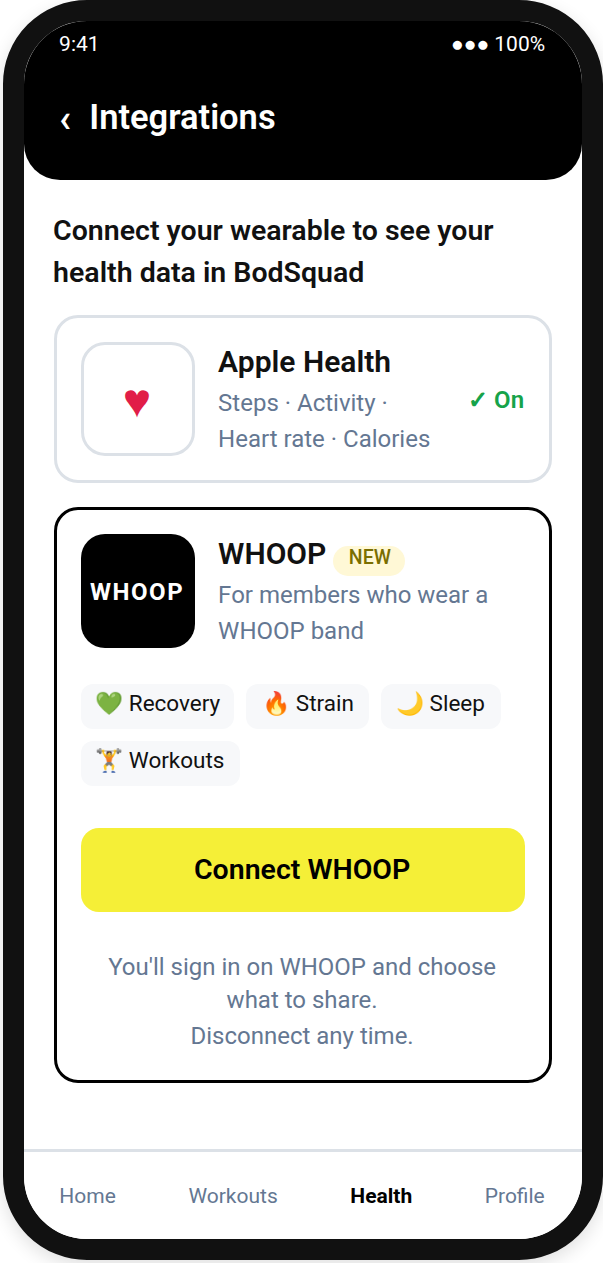
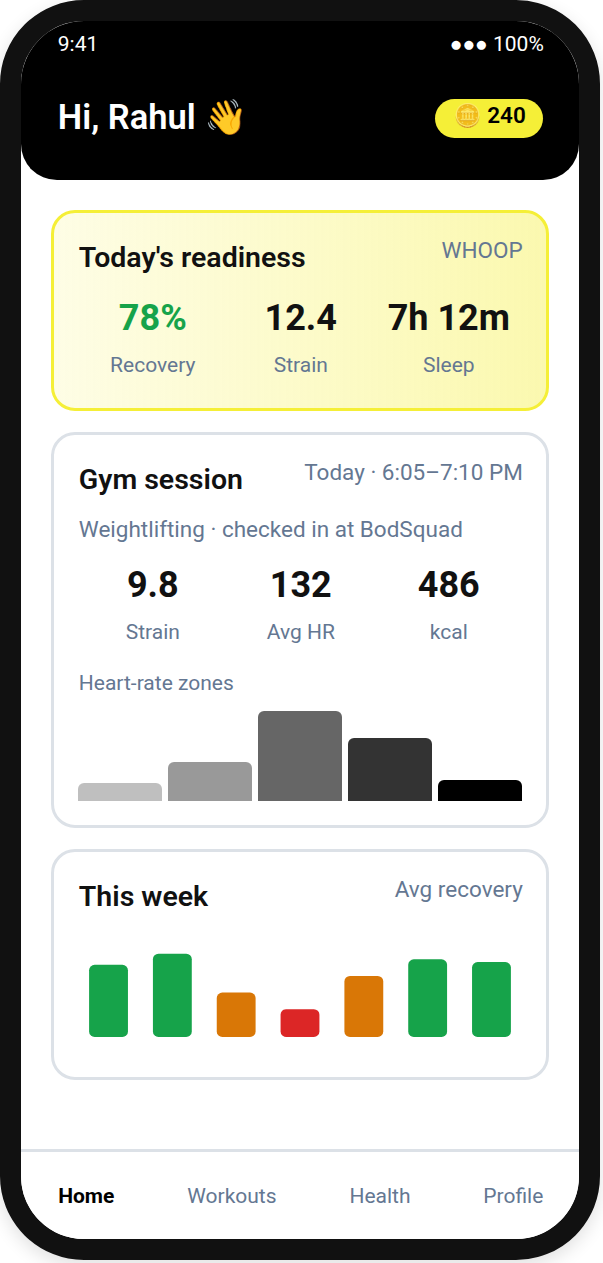
We will let members connect WHOOP to BodSquad with one tap. From then on, their Recovery, Strain, Sleep and workouts come into BodSquad automatically. Members see them on the app's Home screen, and trainers see each member's readiness before a session, so they can make it heavier or lighter.
WHOOP has an official API (v2). The member approves access once inside WHOOP, and they can switch it off at any time.
| WHOOP data | What we receive | Where it shows |
|---|---|---|
| Recovery | Recovery %, HRV, resting heart rate, SpO2, skin temperature | Home card · trainer view |
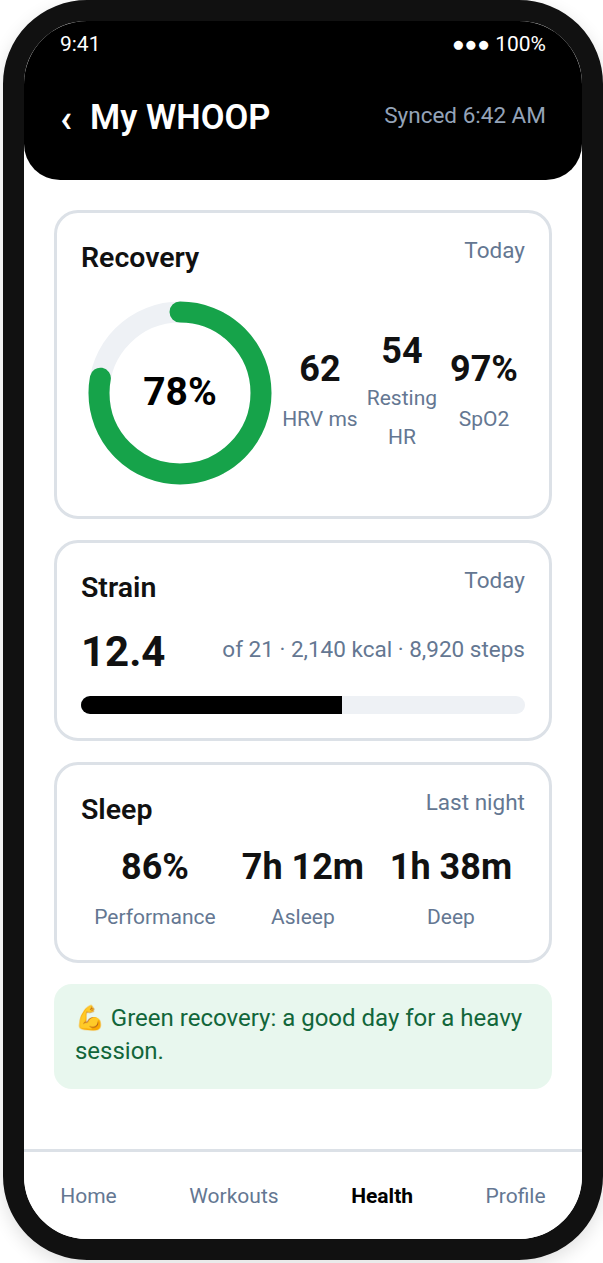
| Strain | Day strain, calories, average and max heart rate, steps | My WHOOP screen |
| Sleep | Sleep performance %, sleep stages, efficiency, respiratory rate | My WHOOP screen · trainer view |
| Workouts | Sport, strain, heart-rate zones, calories, distance | Each gym visit |
| Profile and body | Height, weight, max heart rate | Member profile, BMI |
Not possible through the API: live heart rate during a workout, for example on the gym TV. WHOOP's Bluetooth heart-rate broadcast may make it possible, so it's listed as an optional feasibility study.
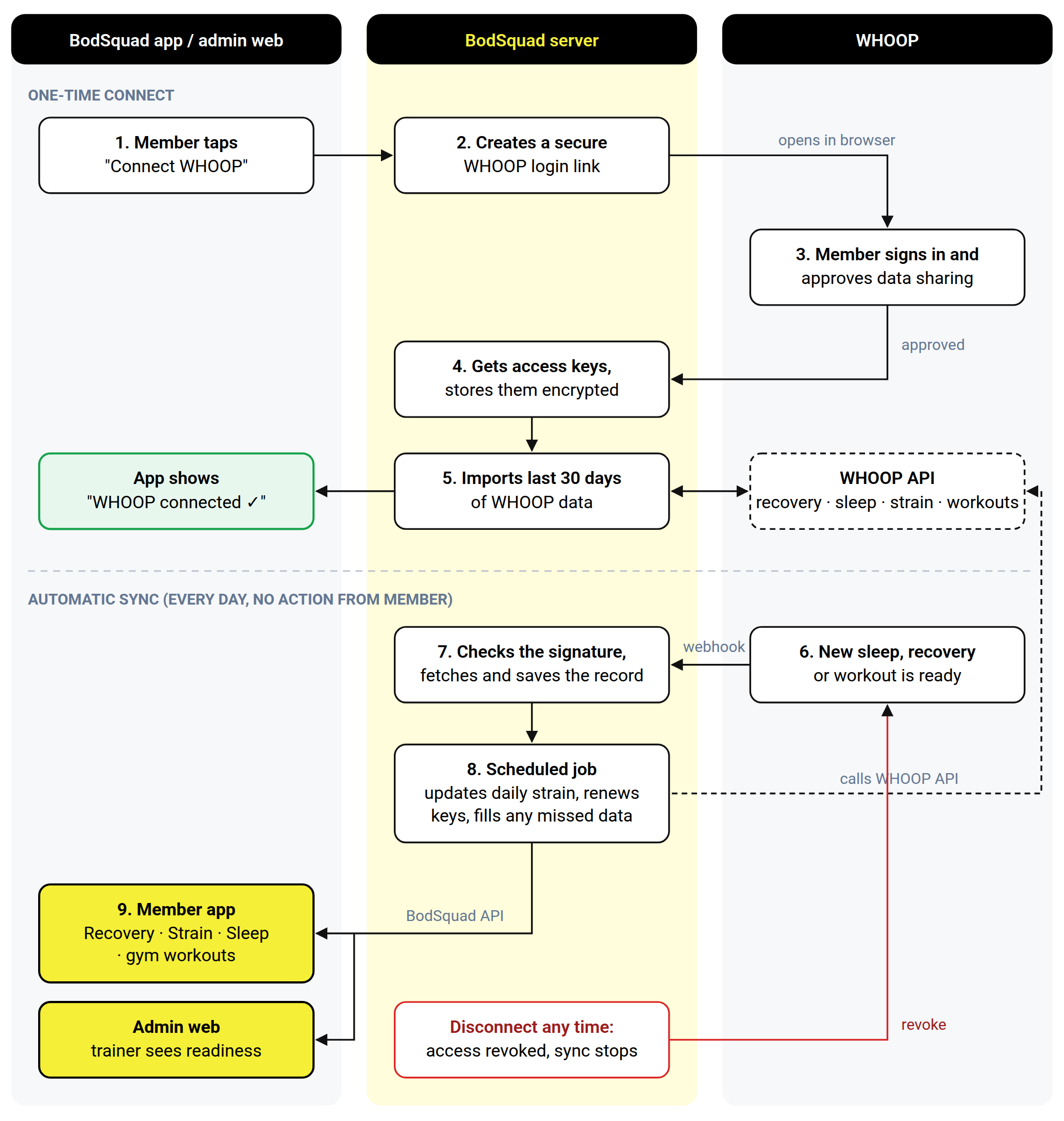
The member connects once (steps 1–5). After that, WHOOP tells our server whenever new data is ready, and the app and admin web update on their own (steps 6–9).
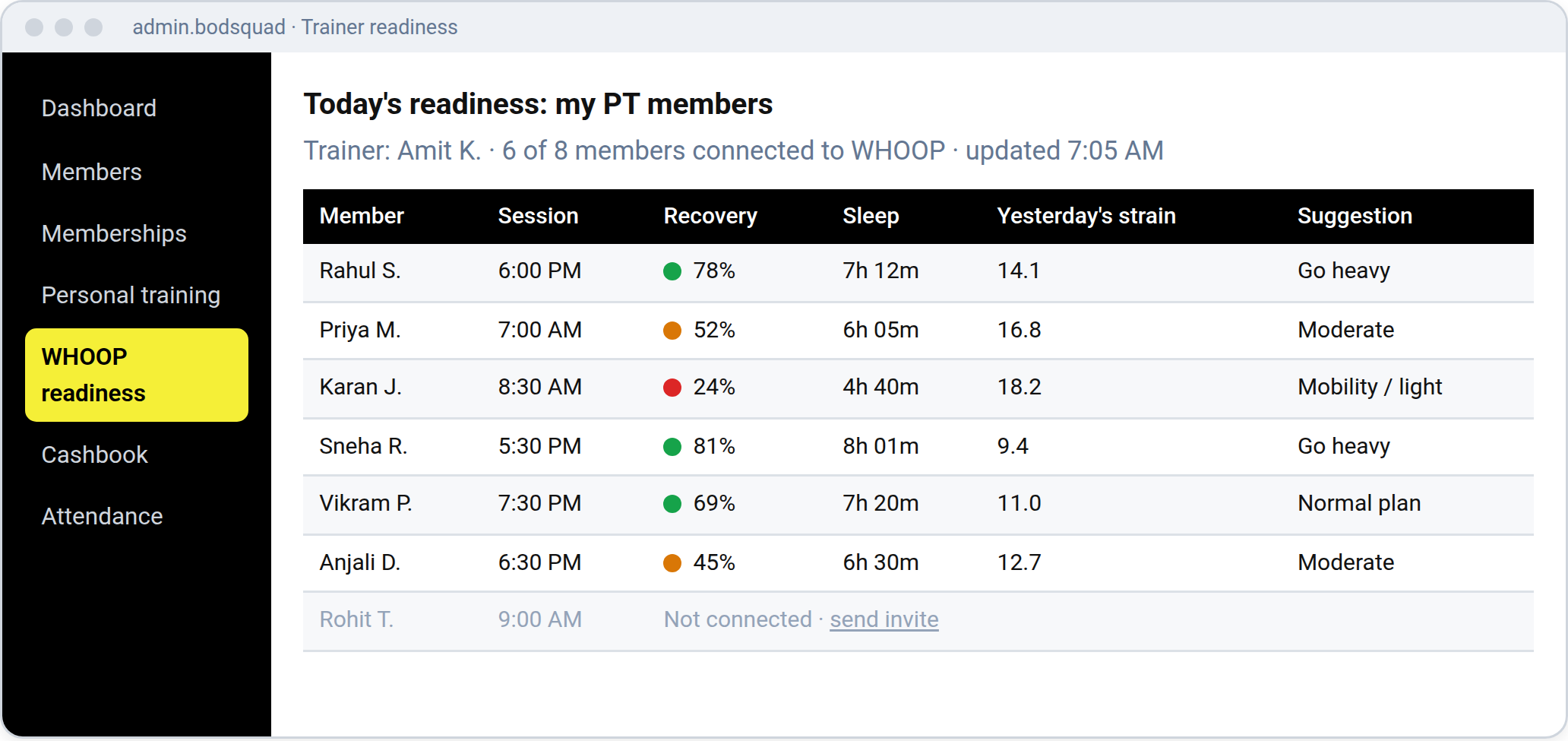
Each morning, a trainer opens the admin web and sees every PT member's Recovery % in green, amber or red, with last night's sleep and yesterday's strain beside it.
Green means go heavy. Red means mobility and light work. Trainers make better calls, members feel looked after, and fewer people get injured from overtraining.
Mock-ups in BodSquad's current style, with sample data. Final screens are confirmed in the design week.
| Phase | Focus | Duration |
|---|---|---|
| 0 | UI/UX for the 4 screens · WHOOP developer app setup | 0.5 week |
| 1 | Server: WHOOP connection, webhook, sync · App: connect flow | 1.5 weeks |
| 2 | My WHOOP screen · Home card · gym sessions · admin readiness view | 1 week |
| 3 | QA · 10-member pilot · Play Store and App Store release | 1 week |
| Total | ~4 weeks |
| Milestone | % |
|---|---|
| Advance, on project confirmation | 50% |
| Pilot build handed over (end of Phase 2) | 30% |
| On store release | 20% |
The full scope above: server WHOOP module, member app screens (Android and iOS), admin readiness view, UI/UX, QA, the 10-member pilot and the store release.
| Add-on | Cost |
|---|---|
| BodCoins for effort: award BodCoins for WHOOP workouts and weekly strain goals | Rs. 35,000 + GST |
| Live heart rate on gym TV: feasibility study using WHOOP's Bluetooth broadcast | Rs. 25,000 + GST |
Optional annual maintenance (WHOOP API changes, new WHOOP data types) is quoted separately on confirmation.